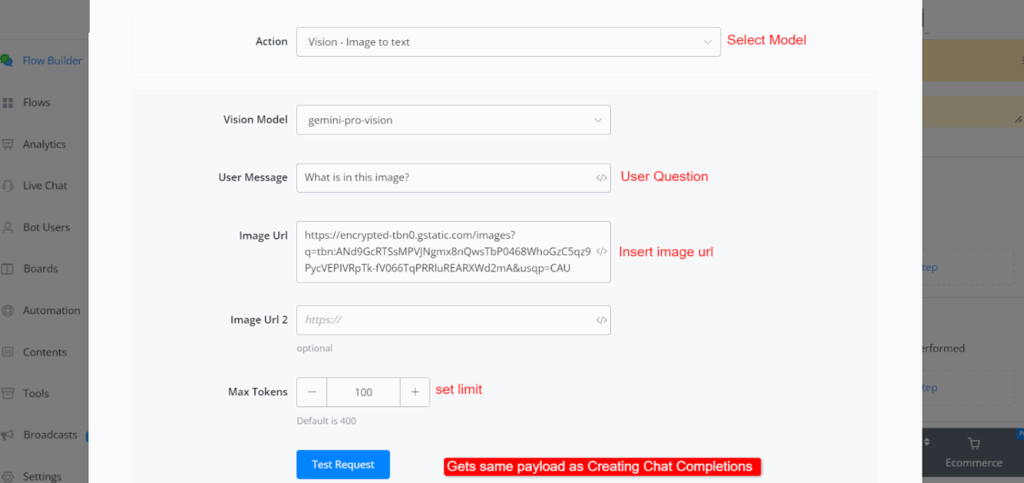
You have to follow the instructions to connect Google Gemini
- Go to Gemini Developer API | Gemma open models | Google AI for Developers
- Click on “Get Gemini API key in Google Studio”
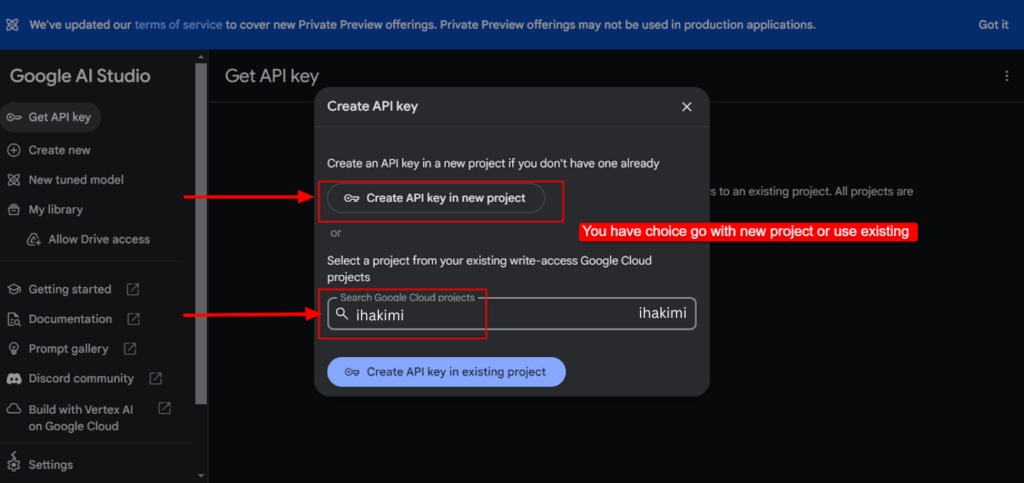
- Goto create API key https://aistudio.google.com/app/apikey

- Select project
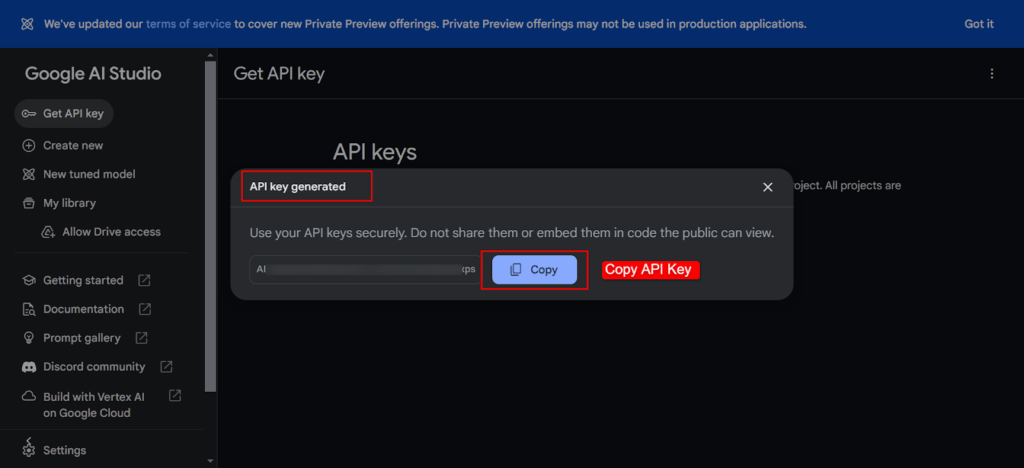
- API key generated. Copy the API key
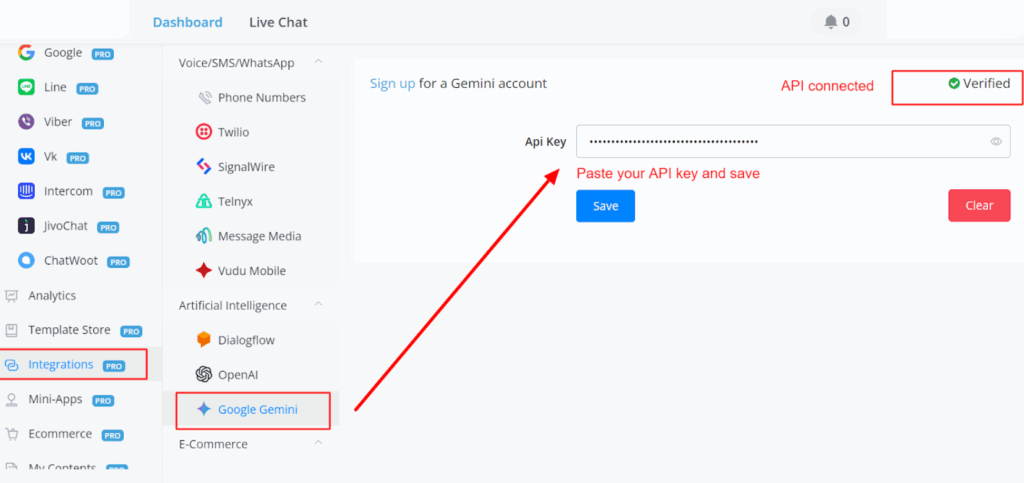
- Paste the API in Integration -> Google Gemini
Available Actions:
- Chat completions
- Clear chat history
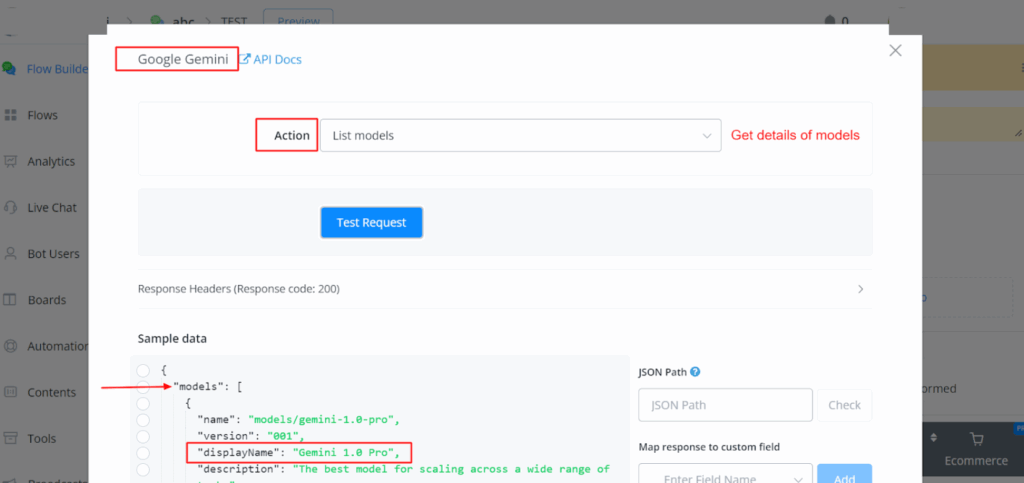
- List available models.
- Vision: Image-to-text conversion.
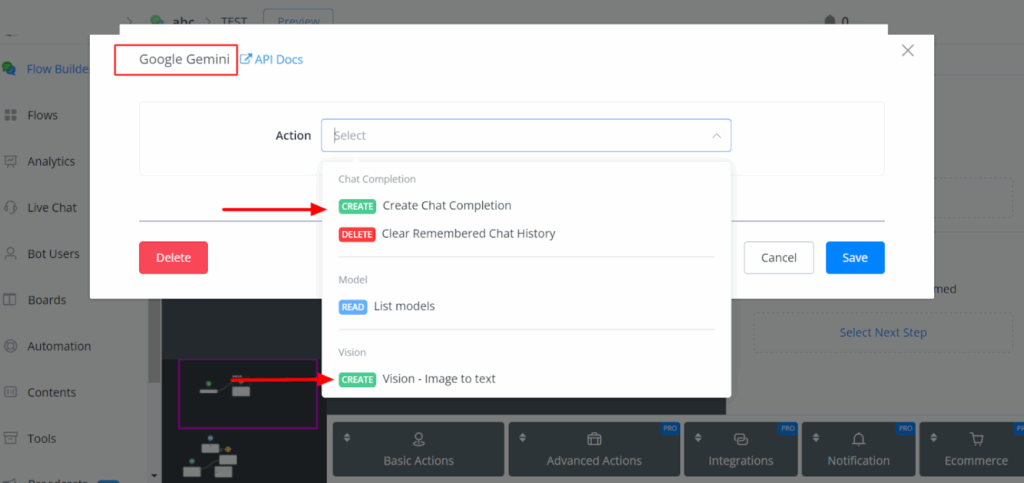
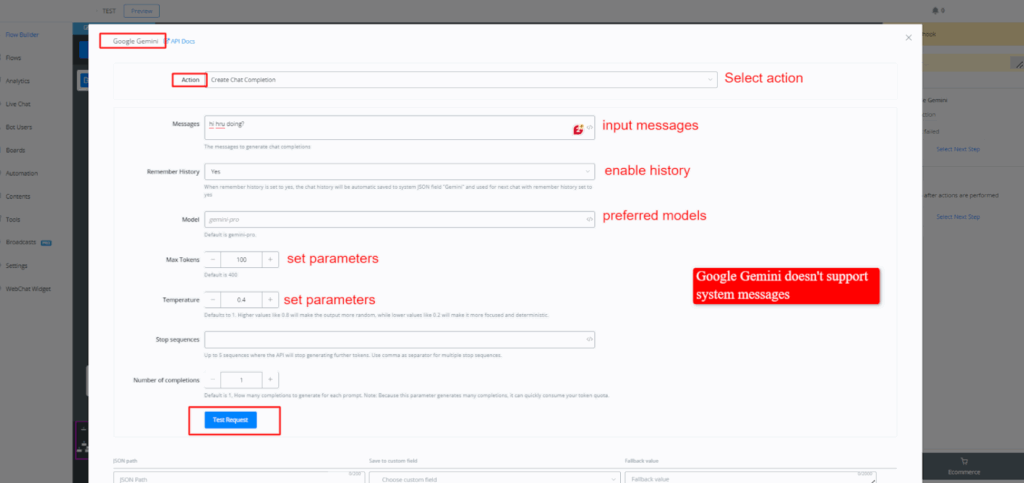
Creating Chat Completions:
- Users can input messages from users, enable history, select preferred models, set parameters (max tokens, temperature), and receive responses.
- Notable difference: Google Gemini doesn’t support system messages, limiting its use for business-related inquiries compared to OpenAI.
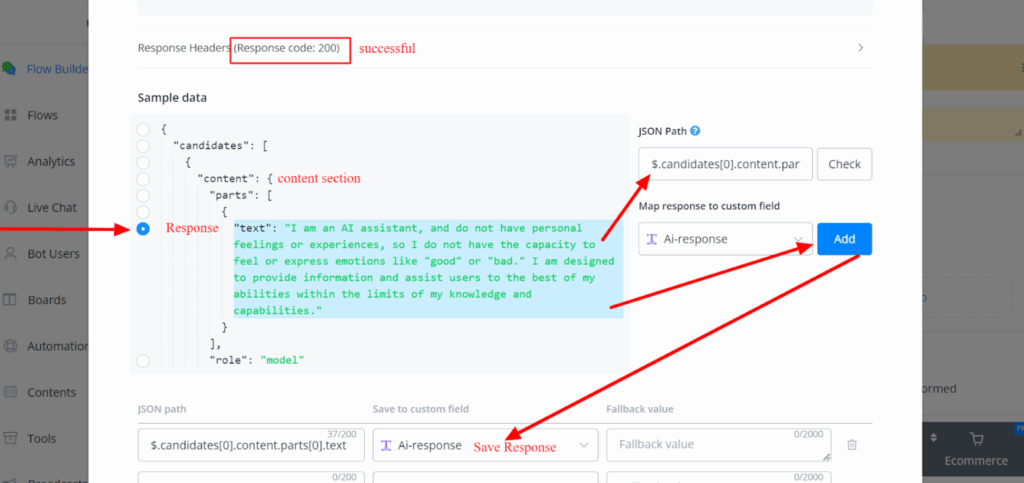
Response Payload:
- Responses are fast and returned with a different payload structure compared to OpenAI.
- Responses are located within the content section of the payload.
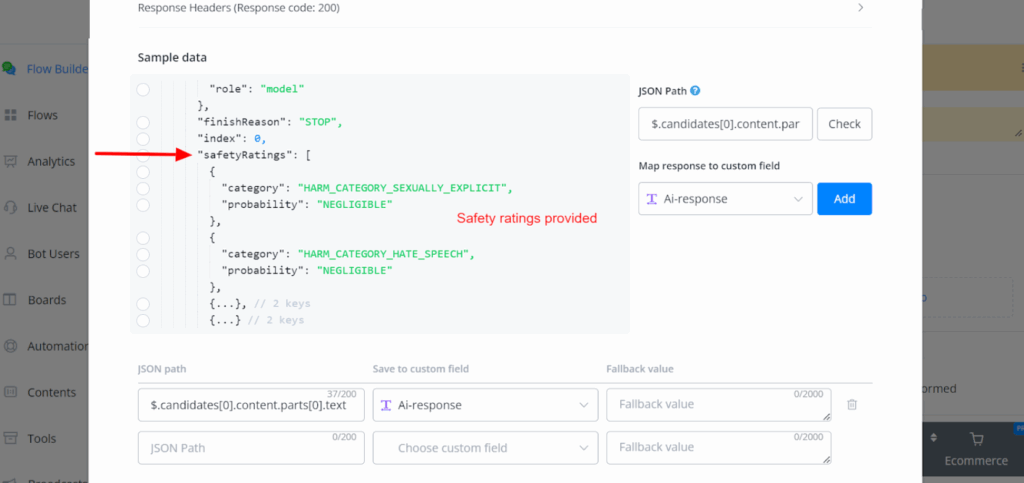
- Safety ratings provided, including categories like sexually explicit, hate speech, harassment, and dangerous content.
Safety ratings:
Models:
Users can retrieve available models through a GET request.
Vision Functionality:
Vision functionality allows users to input image URLs and receive descriptions, with safety ratings provided for images as well.