
GoHighLevel serves as a comprehensive marketing platform, encompassing robust customer relationship management features. This platform is designed to facilitate full-scale management of a client’s business activities, including sales funnels, lead tracking, outbound communication, follow-up sequences, and scheduling.
ihakimi integration with GoHighLevel:
You can find this by going under integrations. GoHighLevel has two versions of its API: 1.0 and 2.0, and we support both.
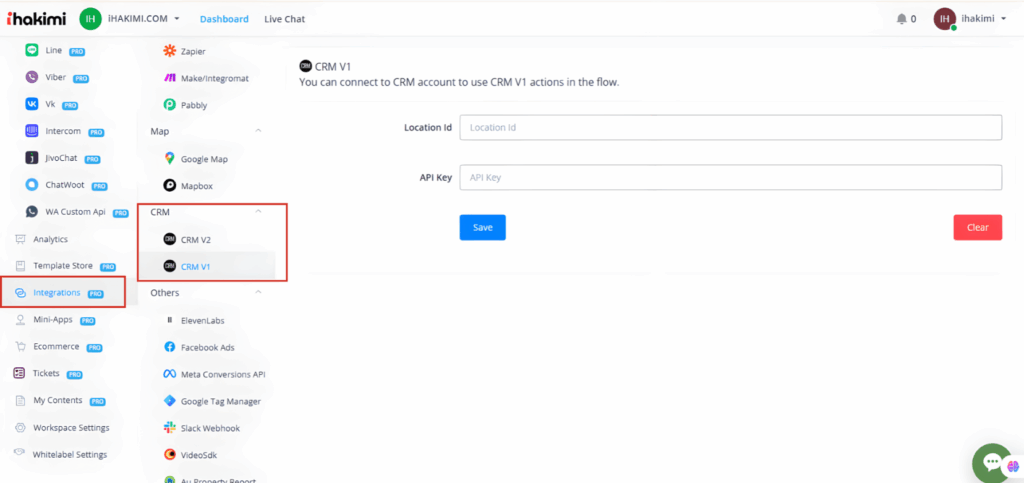
Integration CRM V1 & CRM V2
- V1: Need location ID & API Key
Integration with GoHighLevel V1:
For CRM V1, you’ll need to input your GoHighLevel location ID and API keys to connect to the Version 1 API.
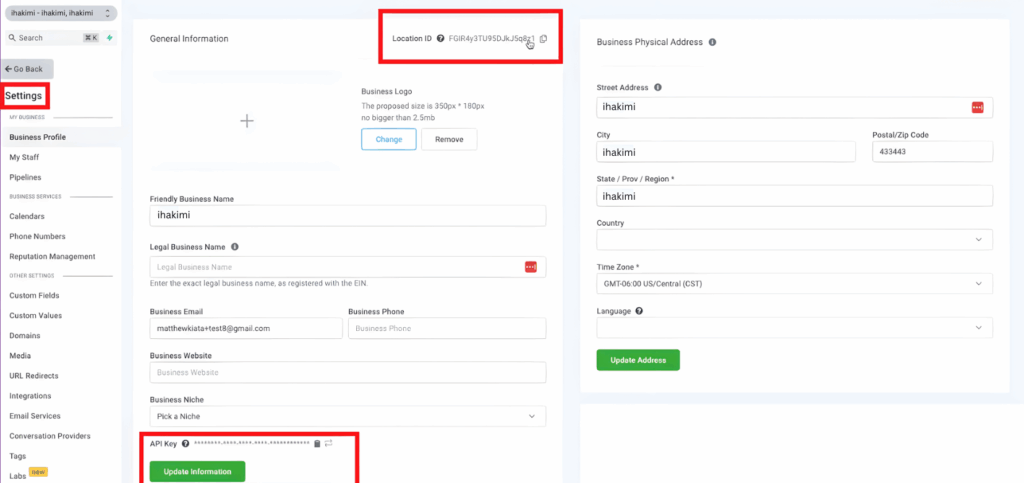
- Log in to your CRM account.
- Go to Settings.
- Find your Location ID and API Keys here.
- Click to copy them
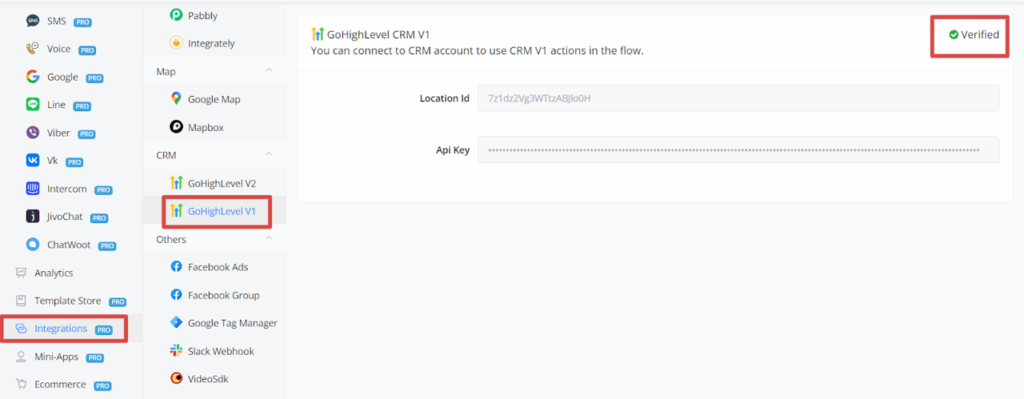
- Paste your Location ID and API Key into ihakimi.
- Save. You should see a verified green checkmark, indicating CRM Version 1 is ready to use in the Flow Builder.
Actions:
- Actions work in any channels we support
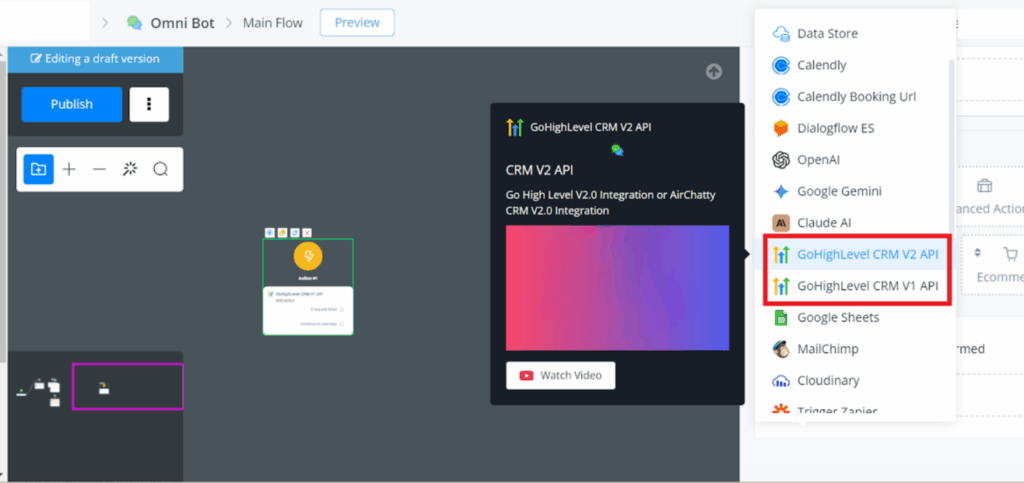
- In any channel, go to the Flow Builder.
- Right-click, then go to “Action” and “Integration.”
- You’ll see “CRM Version 1 API” and “CRM Version 2 API.”
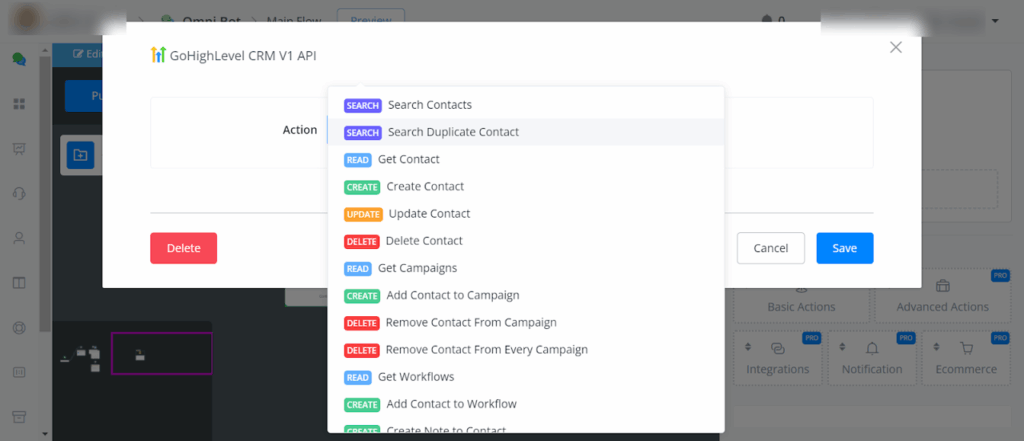
here’s a list of the actions we support based on the API version:
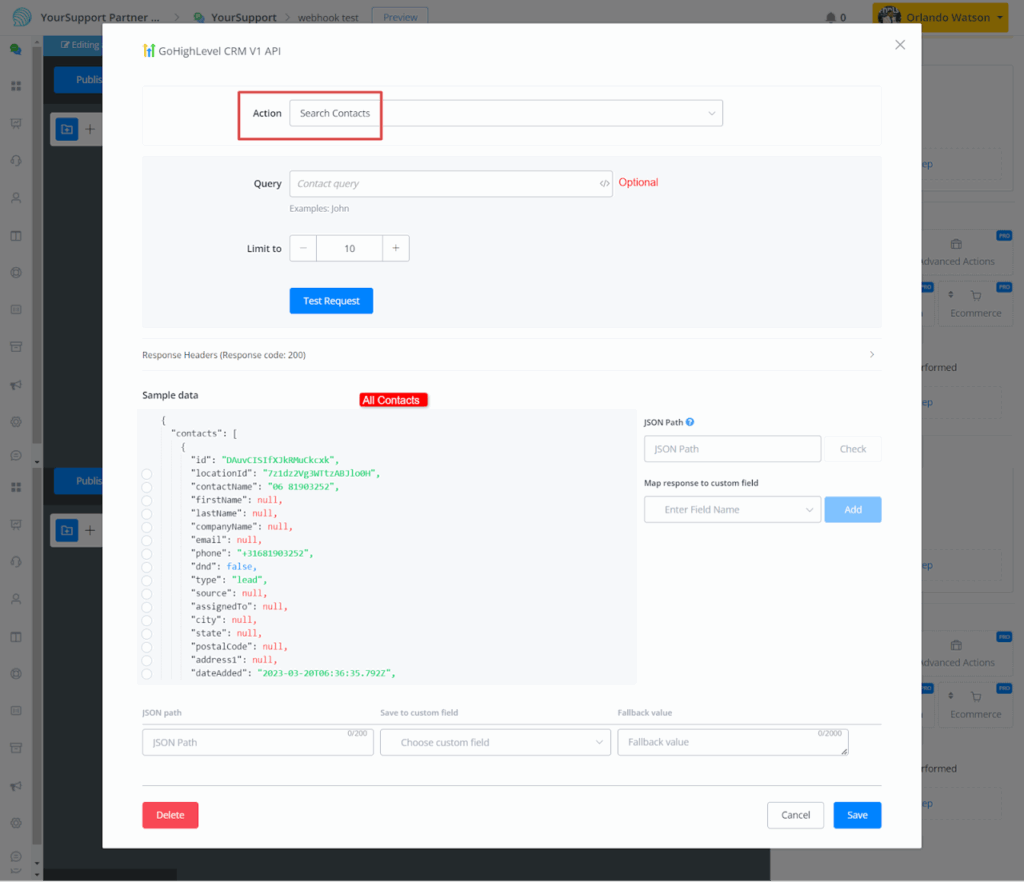
- Search Contacts
You can search both all contacts and individual contacts by entering the name of the user.
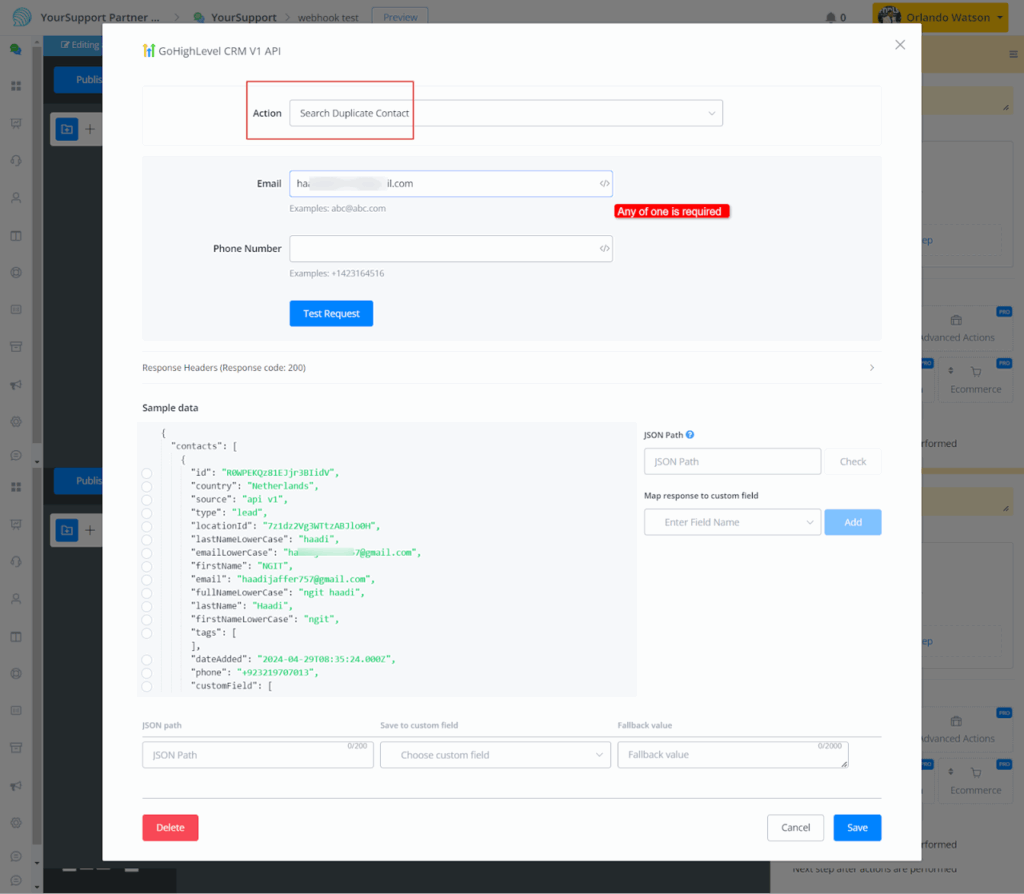
- Search Duplicate Contacts
You can use this operation to check if the email or phone of the user has already been located.
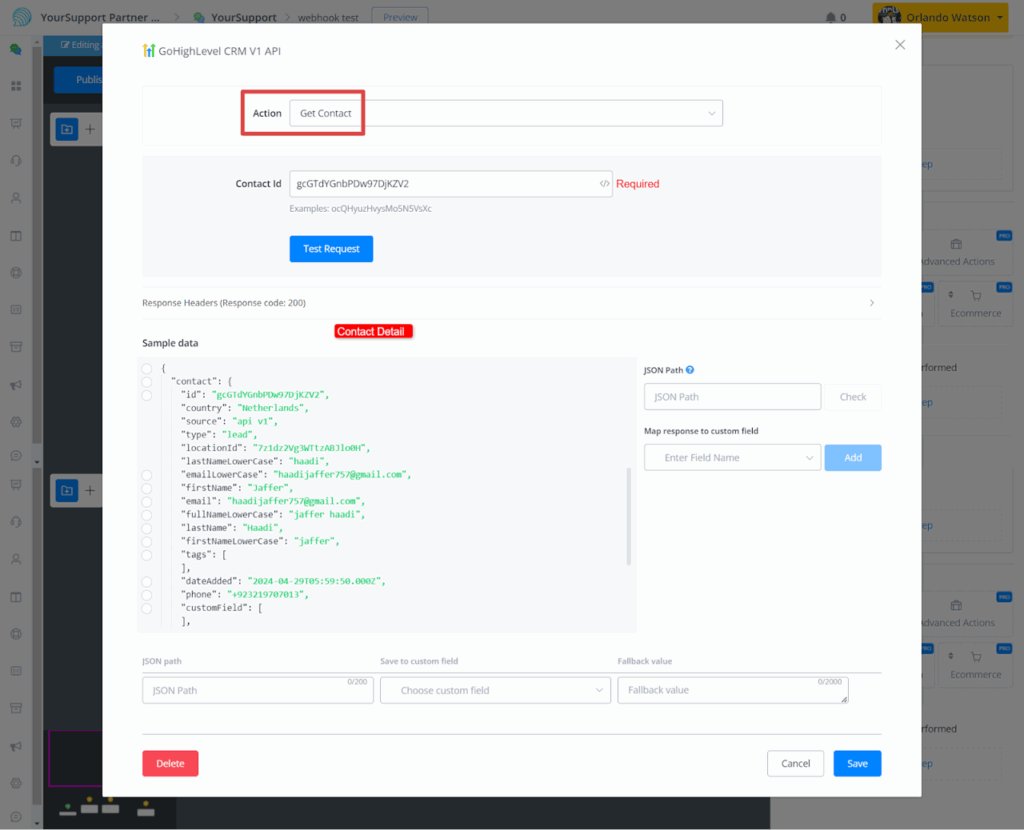
- Get Contact
You can get a detail of contact by entering the user Id.
- Create Contact
Fill out the parameter with your phone number, first and last name, email address, and any additional information.
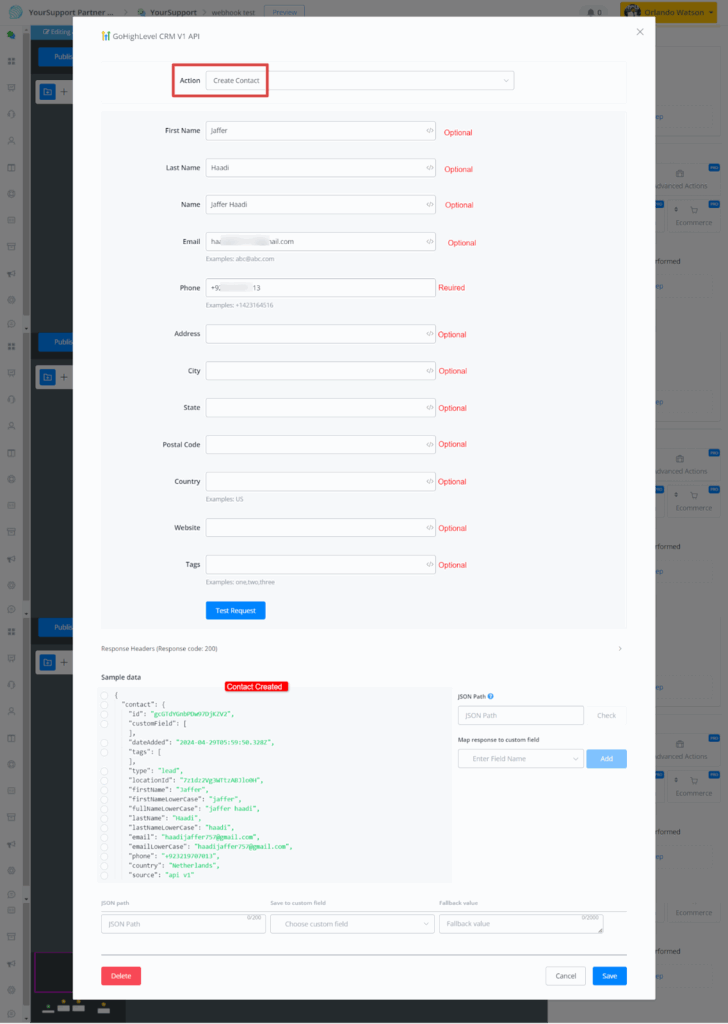
- Update Contact
Similar to the contact create Action, you only need to enter the contact’s ID.
- Delete Contact
You can delete the contact by entering the contact Id.
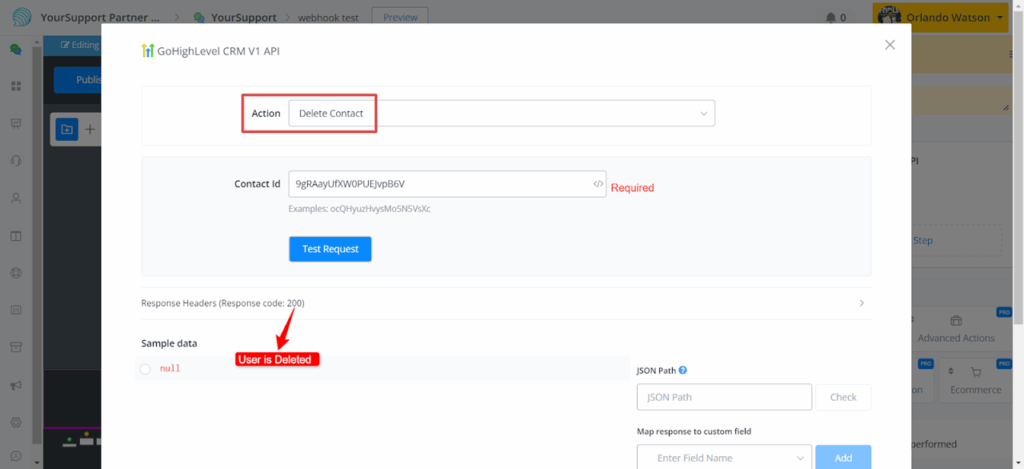
- Access campaigns, Add or remove contacts from campaigns
- Access workflows, Add contacts to workflows
- Add Note to Contact
To add a note to a contact, enter the contact’s id and note body.
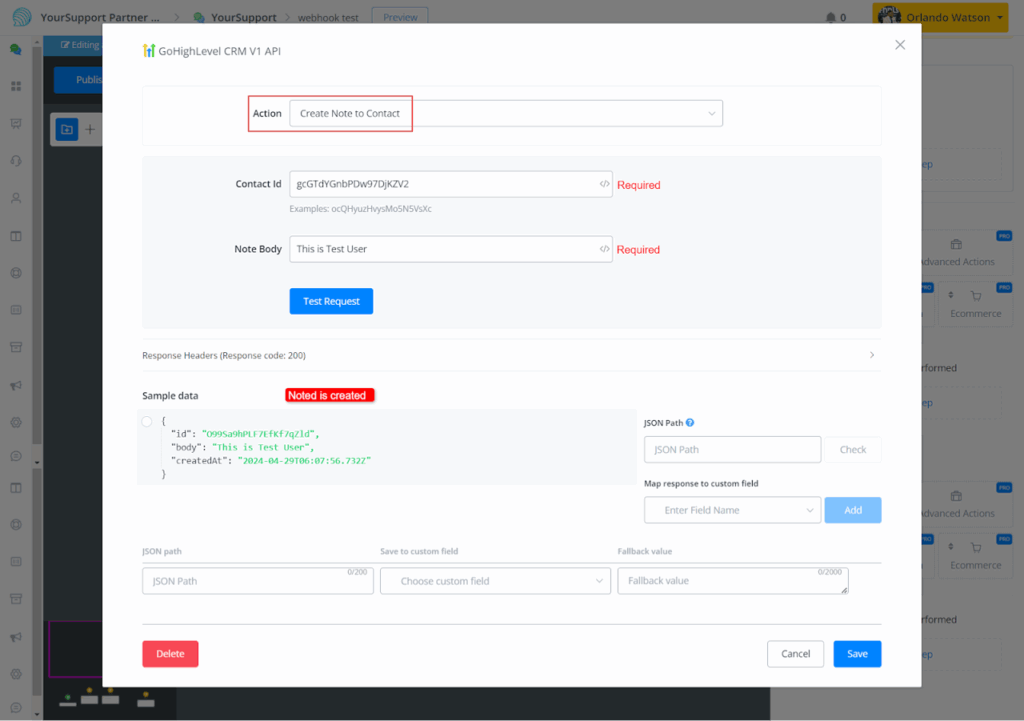
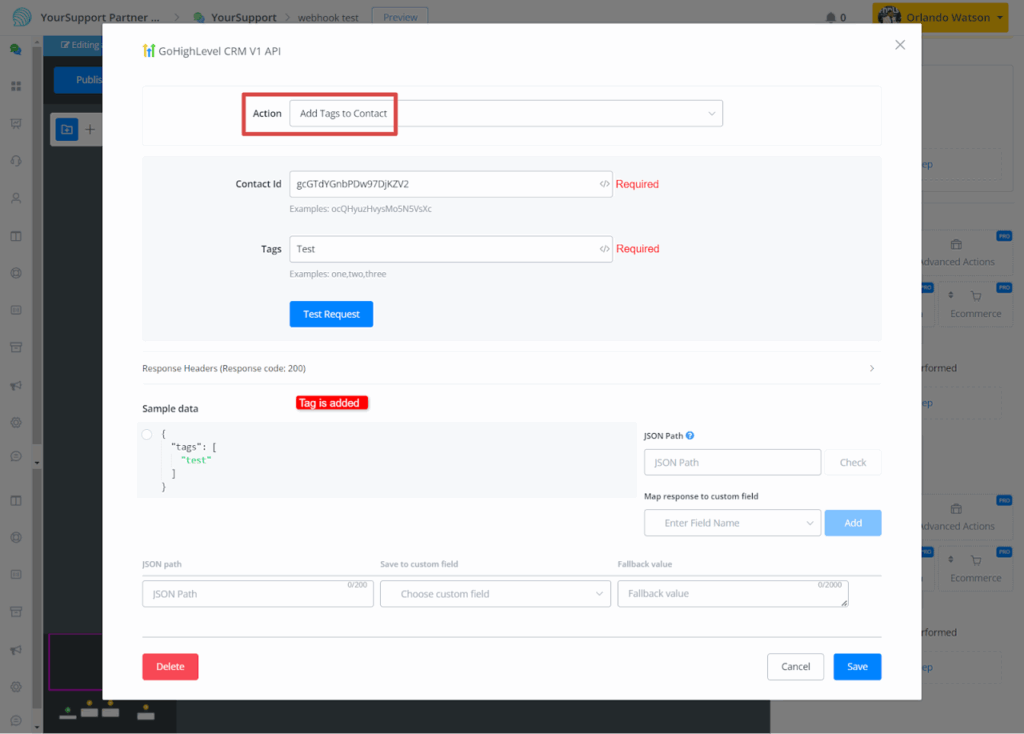
- Add or remove tags from contacts
It’s a simple process: provide the tag name and contact ID to add or delete the tag.
Triggers
- V1 don’t have triggers


