
How to Build a Chatbot Without Coding

How to Build a Chatbot Without Coding

Building a chatbot used to mean dealing with developers, APIs, technical configurations, and complicated integrations. For many businesses, even having a basic chatbot meant depending on someone who understood programming and could translate business requirements into technical workflows. That has changed.

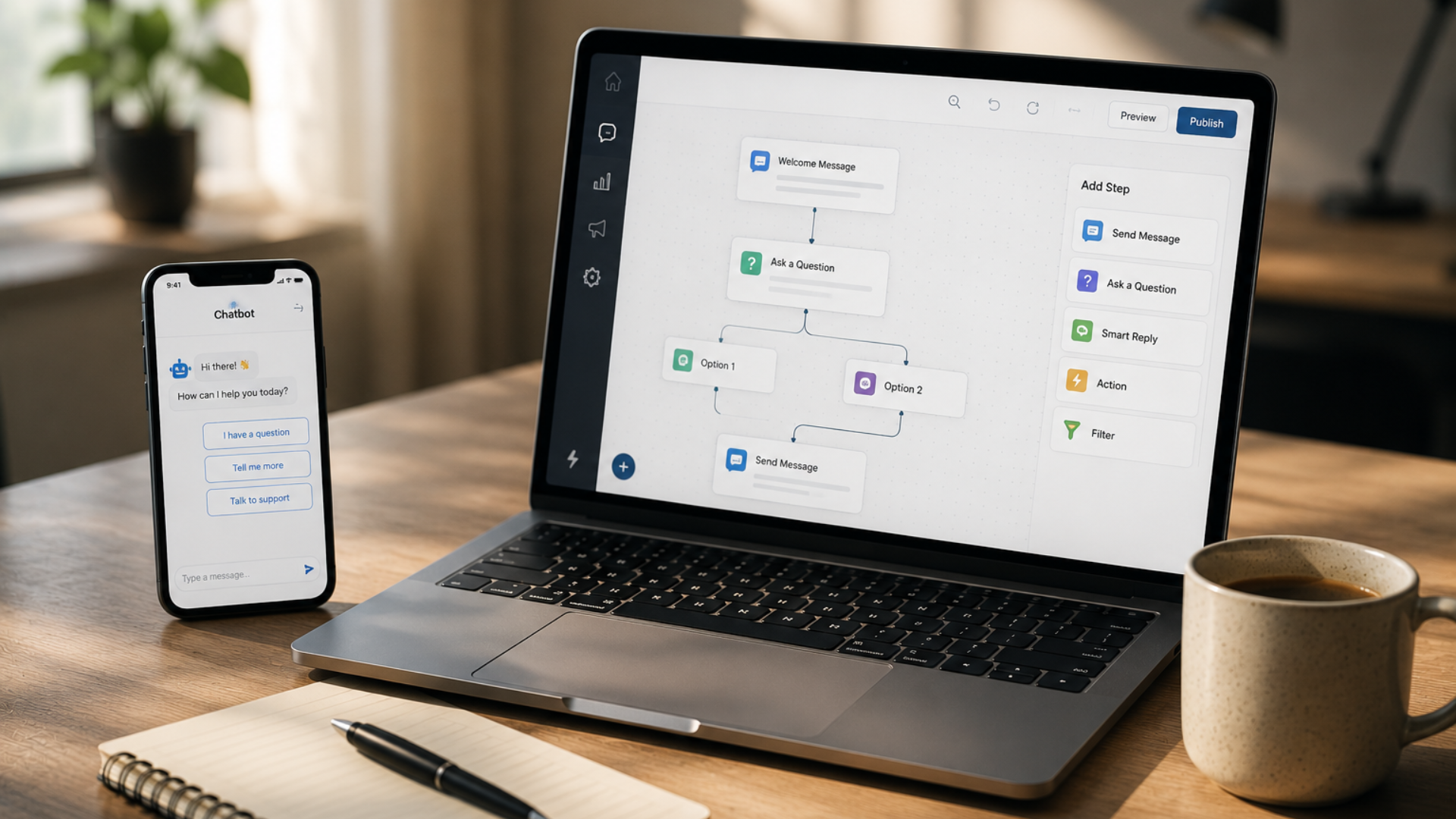
Businesses today can create chatbots without writing code by using visual chatbot builders that allow them to design conversations, connect actions, manage customer information, and automate responses through a simpler interface.

However, creating a chatbot is not simply about adding a few questions and automated replies. A useful business chatbot needs to understand what customers are asking, guide them toward the right information, collect useful details, trigger business actions, and know when a conversation needs to move to a human team member.

This is where ihakimi brings together chatbot building, flows, automation, AI agents, customer conversations, and business integrations in one platform. With ihakimi, businesses can build and manage automated customer conversations without needing to write code. Instead of creating a chatbot that only responds to fixed questions, businesses can design complete conversational journeys that connect customer interactions with actual business processes.

In this blog, we will look at how to build a chatbot without coding using ihakimi, what you can automate, how its different features work together, and how businesses can create chatbots that are useful beyond simple automated replies.

What Is a No-Code Chatbot?

A no-code chatbot is a chatbot that businesses can create and configure without writing programming code. Instead of developing the chatbot from scratch, users can use visual tools to define:

  • What starts a conversation
  • What the chatbot should say
  • What information it should collect
  • Which options customers can choose
  • What happens after each response
  • When an action should be triggered
  • When a conversation should be transferred to a human

This makes chatbot creation accessible to business owners, marketers, sales teams, and customer support teams who may not have technical development experience.

The important difference is that a no-code chatbot does not mean a limited chatbot. With the right platform, businesses can create structured conversations, automated workflows, AI-powered interactions, and integrations without needing to manually develop every function.

Why Businesses Need More Than a Basic Chatbot

A simple chatbot might answer a few predefined questions, but modern customers expect more from business communication. A customer may start by asking about a product, then ask about pricing, availability, delivery, payment, or the next step. If the chatbot can only respond to a fixed list of questions, the conversation quickly becomes frustrating.

Businesses need chatbots that can do more than display information. A useful chatbot should be able to guide conversations, collect information, trigger actions, provide relevant answers, and connect customers with the right team when necessary. This is why ihakimi combines its chatbot capabilities with features such as Flows, AI Agents, AI Knowledge Base, Automation, LiveChat, OmniChannel, and Integrations.

Instead of treating the chatbot as an isolated tool, ihakimi allows businesses to connect the conversation with the rest of their customer communication and business processes.

How to Build a Chatbot Without Coding With ihakimi

Creating a chatbot with ihakimi starts by understanding what you want the chatbot to accomplish. A business should not begin with the question, “What should my chatbot say?” A better question is: “What should happen when a customer starts a conversation with my business?” Once the goal is clear, the chatbot can be designed around the customer journey.

Step 1: Decide What Your Chatbot Should Do

Before building the chatbot, identify the specific purpose of the conversation. A chatbot could be designed to:

  • Answer frequently asked questions
  • Collect customer information
  • Recommend products or services
  • Qualify leads
  • Help customers find information
  • Provide business details
  • Guide customers through a process
  • Create automated follow-up actions
  • Connect customers with a team member

For example, a real estate business may want a chatbot that asks customers what type of property they are looking for, their preferred location, budget, and timeline. An education business may want a chatbot that helps students explore courses, understand eligibility, and request admission information. The chatbot should be designed around these actual business requirements.

Step 2: Build the Conversation Using Flows

One of the core ways to create structured chatbot experiences in ihakimi is through Flows. Flows allow businesses to visually design the steps of a conversation without writing code. Instead of programming each interaction, businesses can create a sequence that determines what the customer sees and what happens after each response. For example:

Customer starts conversation → Selects service → Provides details → Receives information → Requests assistance → Conversation moves to team

Each stage can be configured as part of the flow. This makes it possible to build structured customer journeys while keeping the creation process accessible to non-technical users.

Step 3: Create Different Conversation Paths

Customers do not always follow the same path. One person may want product information, another may want pricing, and another may want to speak to a salesperson. A chatbot should be able to handle these different requirements. With ihakimi Flows, businesses can create different paths based on customer responses and selected options.

For example, a service business could begin with: What can we help you with? The customer could then choose:

  • Product Information
  • Pricing
  • Support
  • Book an Appointment
  • Talk to Sales

Each option can lead to a different conversation path. This creates a more organized experience while allowing the same chatbot to support multiple customer needs.

Step 4: Use AI Agents When Conversations Need More Flexibility

Structured chatbot flows are useful when the conversation follows predictable paths. But not every customer communicates in the same way. Customers may ask questions in different words, provide incomplete information, or ask questions that were not included in a fixed menu. This is where AI Agents in ihakimi can add another layer of intelligence.

Instead of relying only on predefined responses, an AI Agent can understand customer questions and respond based on the instructions and knowledge provided to it. For example, instead of requiring customers to select:

  • Pricing

A customer could simply type:

“How much does this service cost?”

The AI Agent can understand the intent and provide the relevant response. This creates a more natural conversational experience.

Step 5: Give Your AI Agent Knowledge About Your Business

An AI Agent is only useful when it has access to accurate information. Customers may ask about:

  • Products
  • Services
  • Pricing
  • Policies
  • Features
  • Availability
  • Business processes
  • Frequently asked questions

ihakimi provides an AI Knowledge Base that can be used to give AI Agents access to business-specific information. Instead of expecting the AI to answer based only on general knowledge, businesses can provide relevant information that helps the agent respond according to the business. This is particularly useful when the chatbot needs to answer detailed questions about a company’s products, services, processes, or policies. The goal is to make the AI Agent useful within the specific context of the business.

Step 6: Automate What Happens After the Conversation

A chatbot should not be the end of the process. The conversation may create a new lead, require a follow-up, notify a salesperson, or trigger another business action. This is where Automation in ihakimi becomes important.

For example, a customer may complete a chatbot conversation and provide their contact information. That interaction can be connected to an automated process that helps move the lead to the next stage. A business could create a process such as:

Customer Inquiry → Lead Created → Salesperson Assigned → Follow-Up Task Created → Notification Sent

The customer does not need to know that these actions are happening in the background. From their perspective, they simply had a conversation with the business. Behind the scenes, the business process continues automatically.

Step 7: Connect the Chatbot With Your Business Channels

Customers do not always contact businesses through one channel. They may use a website, social media, messaging platforms, or other connected communication channels. ihakimi’s OmniChannel capabilities allow businesses to manage customer conversations across supported channels through a connected environment.

This reduces the need to manage every conversation separately. Instead of treating each channel as a completely different customer journey, businesses can bring communication into a more centralized environment. This becomes particularly valuable as customer inquiries increase and businesses need better visibility into conversations.

Step 8: Know When to Bring a Human Into the Conversation

Automation does not mean every conversation should be handled entirely by a chatbot.  Some conversations require human involvement. A customer may have a complicated request, need personalized assistance, or simply want to speak with someone. This is where LiveChat becomes important within ihakimi. Businesses can combine automated conversations with human support.

The chatbot can handle common questions and initial information gathering, while more complex conversations can be handled by a team member. This creates a balance between automation and human communication. Customers get quick responses for routine questions without losing access to real people when they need additional assistance.

Step 9: Use Integrations to Extend the Chatbot

A chatbot becomes much more useful when it can interact with the tools a business already uses. ihakimi provides integrations that allow businesses to connect their communication and automation environment with external platforms and services. Depending on the business requirements, these can include CRM systems, e-commerce platforms, payment services, calendars, databases, communication tools, and other business applications.

This means the chatbot does not have to exist separately from the rest of the business. For example, a customer conversation could lead to an action involving a CRM, calendar, payment system, or another connected platform. The exact workflow depends on the business process, but the principle remains the same: the conversation can become part of the larger operational process.

What Can You Build With an ihakimi Chatbot?

A no-code chatbot can support many different business scenarios. 

  • Lead Generation Chatbot: A lead generation chatbot can ask visitors for relevant information, understand their requirements, and help businesses identify potential opportunities. Instead of simply collecting a name and phone number, the chatbot can guide customers through questions that help the sales team understand what they are looking for.
  • Customer Support Chatbot: A customer support chatbot can answer common questions using predefined flows or AI-powered responses. When a question requires human assistance, the conversation can be moved to LiveChat so the support team can continue the interaction. This allows businesses to automate repetitive support questions while keeping human assistance available for more complex cases.
  • Product Information Chatbot: E-commerce and retail businesses can use chatbots to help customers discover product information, answer questions, and guide them toward relevant options. The chatbot can become an interactive layer between the customer and the business rather than simply displaying static information.
  • Appointment and Inquiry Chatbot: Service-based businesses can create chatbot journeys around appointments and inquiries. Customers can provide their requirements, choose relevant options, and continue toward the next step without waiting for a team member to manually respond to every initial question.

Why No-Code Chatbots Are Useful for Businesses

The biggest advantage of a no-code chatbot is accessibility. Businesses do not have to depend entirely on developers for every conversational change. When a business wants to update a question, add a new option, change a flow, or adjust an automated process, the team can make changes through the platform. This makes chatbot management more flexible. It also allows businesses to experiment with different customer journeys and improve them based on actual customer interactions.

AI Agents and Traditional Chatbots Are Not the Same

It is important to understand that a traditional chatbot and an AI Agent do not necessarily work in the same way. A traditional chatbot typically follows predefined rules and conversation paths. An AI Agent can provide more flexible interactions by understanding natural language and using the knowledge and instructions provided to it.

For many businesses, the best approach is not choosing one over the other. Structured flows can handle processes where the business wants complete control over the customer’s journey, while AI Agents can handle questions that require more flexible responses. ihakimi allows businesses to combine these capabilities rather than forcing every customer conversation into a single format.

Common Mistakes When Building a Chatbot 

  • Making the Chatbot Too Complicated: A chatbot does not need dozens of options on the first screen. Customers should be able to understand what they can do and move toward the right answer quickly.
  • Giving the AI Incomplete Information: An AI Agent needs accurate business information to provide useful responses. The quality of the knowledge provided to the AI has a direct impact on the quality of the customer experience.
  • Automating Everything: Not every conversation should be automated. Businesses should identify which interactions can be handled efficiently through automation and which situations require human involvement.
  • Forgetting the Next Step: A chatbot should not simply answer a question and end the conversation. Whenever appropriate, it should guide the customer toward the next useful action. That could be requesting information, contacting sales, booking an appointment, starting a support conversation, or continuing through another business process.

Build More Than a Chatbot With ihakimi

A chatbot is only one part of a larger customer communication system. With ihakimi, businesses can bring together Flows, AI Agents, AI Knowledge Base, Automation, OmniChannel, LiveChat, and Integrations to create more complete customer journeys. This means the chatbot can be connected to what happens before, during, and after the conversation.

A customer can start with an automated interaction, receive information from an AI Agent, move through a structured Flow, trigger an automated business action, and reach a human team member when necessary. The entire experience can be designed around the way the business actually operates.

Wrapping It Up

Building a chatbot no longer needs to be a complicated development project. With a no-code platform, businesses can create automated conversations, build structured customer journeys, connect AI capabilities, and automate the actions that happen behind each interaction without writing code.

The important part is not simply creating a chatbot that can answer questions. A useful business chatbot should help customers get information, guide them toward the right action, collect relevant details, connect conversations with business processes, and involve human teams when necessary.

This is where ihakimi goes beyond a basic chatbot builder. With Flows, businesses can create structured conversational journeys. With AI Agents, they can handle more natural customer questions. With the AI Knowledge Base, they can provide business-specific information. With Automation, they can connect conversations to follow-up actions. With OmniChannel, they can manage customer communication across supported channels, while LiveChat keeps human support available when it matters.

The result is not simply a chatbot sitting on a website or messaging channel. It is a connected customer communication system that can help businesses respond faster, manage conversations more effectively, and automate the repetitive work that happens around customer interactions. And the best part is that businesses can build and manage these experiences without needing to write code.

How to Build a Chatbot Without Coding

Building a chatbot used to mean dealing with developers, APIs, technical configurations, and complicated integrations. For many businesses, even having a basic chatbot meant depending on someone who understood programming and could translate business requirements into technical workflows. That has changed.

Businesses today can create chatbots without writing code by using visual chatbot builders that allow them to design conversations, connect actions, manage customer information, and automate responses through a simpler interface.

However, creating a chatbot is not simply about adding a few questions and automated replies. A useful business chatbot needs to understand what customers are asking, guide them toward the right information, collect useful details, trigger business actions, and know when a conversation needs to move to a human team member.

This is where ihakimi brings together chatbot building, flows, automation, AI agents, customer conversations, and business integrations in one platform. With ihakimi, businesses can build and manage automated customer conversations without needing to write code. Instead of creating a chatbot that only responds to fixed questions, businesses can design complete conversational journeys that connect customer interactions with actual business processes.

In this blog, we will look at how to build a chatbot without coding using ihakimi, what you can automate, how its different features work together, and how businesses can create chatbots that are useful beyond simple automated replies.

What Is a No-Code Chatbot?

A no-code chatbot is a chatbot that businesses can create and configure without writing programming code. Instead of developing the chatbot from scratch, users can use visual tools to define:

  • What starts a conversation
  • What the chatbot should say
  • What information it should collect
  • Which options customers can choose
  • What happens after each response
  • When an action should be triggered
  • When a conversation should be transferred to a human

This makes chatbot creation accessible to business owners, marketers, sales teams, and customer support teams who may not have technical development experience.

The important difference is that a no-code chatbot does not mean a limited chatbot. With the right platform, businesses can create structured conversations, automated workflows, AI-powered interactions, and integrations without needing to manually develop every function.

Why Businesses Need More Than a Basic Chatbot

A simple chatbot might answer a few predefined questions, but modern customers expect more from business communication. A customer may start by asking about a product, then ask about pricing, availability, delivery, payment, or the next step. If the chatbot can only respond to a fixed list of questions, the conversation quickly becomes frustrating.

Businesses need chatbots that can do more than display information. A useful chatbot should be able to guide conversations, collect information, trigger actions, provide relevant answers, and connect customers with the right team when necessary. This is why ihakimi combines its chatbot capabilities with features such as Flows, AI Agents, AI Knowledge Base, Automation, LiveChat, OmniChannel, and Integrations.

Instead of treating the chatbot as an isolated tool, ihakimi allows businesses to connect the conversation with the rest of their customer communication and business processes.

How to Build a Chatbot Without Coding With ihakimi

Creating a chatbot with ihakimi starts by understanding what you want the chatbot to accomplish. A business should not begin with the question, “What should my chatbot say?” A better question is: “What should happen when a customer starts a conversation with my business?” Once the goal is clear, the chatbot can be designed around the customer journey.

Step 1: Decide What Your Chatbot Should Do

Before building the chatbot, identify the specific purpose of the conversation. A chatbot could be designed to:

  • Answer frequently asked questions
  • Collect customer information
  • Recommend products or services
  • Qualify leads
  • Help customers find information
  • Provide business details
  • Guide customers through a process
  • Create automated follow-up actions
  • Connect customers with a team member

For example, a real estate business may want a chatbot that asks customers what type of property they are looking for, their preferred location, budget, and timeline. An education business may want a chatbot that helps students explore courses, understand eligibility, and request admission information. The chatbot should be designed around these actual business requirements.

Step 2: Build the Conversation Using Flows

One of the core ways to create structured chatbot experiences in ihakimi is through Flows. Flows allow businesses to visually design the steps of a conversation without writing code. Instead of programming each interaction, businesses can create a sequence that determines what the customer sees and what happens after each response. For example:

Customer starts conversation → Selects service → Provides details → Receives information → Requests assistance → Conversation moves to team

Each stage can be configured as part of the flow. This makes it possible to build structured customer journeys while keeping the creation process accessible to non-technical users.

Step 3: Create Different Conversation Paths

Customers do not always follow the same path. One person may want product information, another may want pricing, and another may want to speak to a salesperson. A chatbot should be able to handle these different requirements. With ihakimi Flows, businesses can create different paths based on customer responses and selected options.

For example, a service business could begin with: What can we help you with? The customer could then choose:

  • Product Information
  • Pricing
  • Support
  • Book an Appointment
  • Talk to Sales

Each option can lead to a different conversation path. This creates a more organized experience while allowing the same chatbot to support multiple customer needs.

Step 4: Use AI Agents When Conversations Need More Flexibility

Structured chatbot flows are useful when the conversation follows predictable paths. But not every customer communicates in the same way. Customers may ask questions in different words, provide incomplete information, or ask questions that were not included in a fixed menu. This is where AI Agents in ihakimi can add another layer of intelligence.

Instead of relying only on predefined responses, an AI Agent can understand customer questions and respond based on the instructions and knowledge provided to it. For example, instead of requiring customers to select:

  • Pricing

A customer could simply type:

“How much does this service cost?”

The AI Agent can understand the intent and provide the relevant response. This creates a more natural conversational experience.

Step 5: Give Your AI Agent Knowledge About Your Business

An AI Agent is only useful when it has access to accurate information. Customers may ask about:

  • Products
  • Services
  • Pricing
  • Policies
  • Features
  • Availability
  • Business processes
  • Frequently asked questions

ihakimi provides an AI Knowledge Base that can be used to give AI Agents access to business-specific information. Instead of expecting the AI to answer based only on general knowledge, businesses can provide relevant information that helps the agent respond according to the business. This is particularly useful when the chatbot needs to answer detailed questions about a company’s products, services, processes, or policies. The goal is to make the AI Agent useful within the specific context of the business.

Step 6: Automate What Happens After the Conversation

A chatbot should not be the end of the process. The conversation may create a new lead, require a follow-up, notify a salesperson, or trigger another business action. This is where Automation in ihakimi becomes important.

For example, a customer may complete a chatbot conversation and provide their contact information. That interaction can be connected to an automated process that helps move the lead to the next stage. A business could create a process such as:

Customer Inquiry → Lead Created → Salesperson Assigned → Follow-Up Task Created → Notification Sent

The customer does not need to know that these actions are happening in the background. From their perspective, they simply had a conversation with the business. Behind the scenes, the business process continues automatically.

Step 7: Connect the Chatbot With Your Business Channels

Customers do not always contact businesses through one channel. They may use a website, social media, messaging platforms, or other connected communication channels. ihakimi’s OmniChannel capabilities allow businesses to manage customer conversations across supported channels through a connected environment.

This reduces the need to manage every conversation separately. Instead of treating each channel as a completely different customer journey, businesses can bring communication into a more centralized environment. This becomes particularly valuable as customer inquiries increase and businesses need better visibility into conversations.

Step 8: Know When to Bring a Human Into the Conversation

Automation does not mean every conversation should be handled entirely by a chatbot.  Some conversations require human involvement. A customer may have a complicated request, need personalized assistance, or simply want to speak with someone. This is where LiveChat becomes important within ihakimi. Businesses can combine automated conversations with human support.

The chatbot can handle common questions and initial information gathering, while more complex conversations can be handled by a team member. This creates a balance between automation and human communication. Customers get quick responses for routine questions without losing access to real people when they need additional assistance.

Step 9: Use Integrations to Extend the Chatbot

A chatbot becomes much more useful when it can interact with the tools a business already uses. ihakimi provides integrations that allow businesses to connect their communication and automation environment with external platforms and services. Depending on the business requirements, these can include CRM systems, e-commerce platforms, payment services, calendars, databases, communication tools, and other business applications.

This means the chatbot does not have to exist separately from the rest of the business. For example, a customer conversation could lead to an action involving a CRM, calendar, payment system, or another connected platform. The exact workflow depends on the business process, but the principle remains the same: the conversation can become part of the larger operational process.

What Can You Build With an ihakimi Chatbot?

A no-code chatbot can support many different business scenarios. 

  • Lead Generation Chatbot: A lead generation chatbot can ask visitors for relevant information, understand their requirements, and help businesses identify potential opportunities. Instead of simply collecting a name and phone number, the chatbot can guide customers through questions that help the sales team understand what they are looking for.
  • Customer Support Chatbot: A customer support chatbot can answer common questions using predefined flows or AI-powered responses. When a question requires human assistance, the conversation can be moved to LiveChat so the support team can continue the interaction. This allows businesses to automate repetitive support questions while keeping human assistance available for more complex cases.
  • Product Information Chatbot: E-commerce and retail businesses can use chatbots to help customers discover product information, answer questions, and guide them toward relevant options. The chatbot can become an interactive layer between the customer and the business rather than simply displaying static information.
  • Appointment and Inquiry Chatbot: Service-based businesses can create chatbot journeys around appointments and inquiries. Customers can provide their requirements, choose relevant options, and continue toward the next step without waiting for a team member to manually respond to every initial question.

Why No-Code Chatbots Are Useful for Businesses

The biggest advantage of a no-code chatbot is accessibility. Businesses do not have to depend entirely on developers for every conversational change. When a business wants to update a question, add a new option, change a flow, or adjust an automated process, the team can make changes through the platform. This makes chatbot management more flexible. It also allows businesses to experiment with different customer journeys and improve them based on actual customer interactions.

AI Agents and Traditional Chatbots Are Not the Same

It is important to understand that a traditional chatbot and an AI Agent do not necessarily work in the same way. A traditional chatbot typically follows predefined rules and conversation paths. An AI Agent can provide more flexible interactions by understanding natural language and using the knowledge and instructions provided to it.

For many businesses, the best approach is not choosing one over the other. Structured flows can handle processes where the business wants complete control over the customer’s journey, while AI Agents can handle questions that require more flexible responses. ihakimi allows businesses to combine these capabilities rather than forcing every customer conversation into a single format.

Common Mistakes When Building a Chatbot 

  • Making the Chatbot Too Complicated: A chatbot does not need dozens of options on the first screen. Customers should be able to understand what they can do and move toward the right answer quickly.
  • Giving the AI Incomplete Information: An AI Agent needs accurate business information to provide useful responses. The quality of the knowledge provided to the AI has a direct impact on the quality of the customer experience.
  • Automating Everything: Not every conversation should be automated. Businesses should identify which interactions can be handled efficiently through automation and which situations require human involvement.
  • Forgetting the Next Step: A chatbot should not simply answer a question and end the conversation. Whenever appropriate, it should guide the customer toward the next useful action. That could be requesting information, contacting sales, booking an appointment, starting a support conversation, or continuing through another business process.

Build More Than a Chatbot With ihakimi

A chatbot is only one part of a larger customer communication system. With ihakimi, businesses can bring together Flows, AI Agents, AI Knowledge Base, Automation, OmniChannel, LiveChat, and Integrations to create more complete customer journeys. This means the chatbot can be connected to what happens before, during, and after the conversation.

A customer can start with an automated interaction, receive information from an AI Agent, move through a structured Flow, trigger an automated business action, and reach a human team member when necessary. The entire experience can be designed around the way the business actually operates.

Wrapping It Up

Building a chatbot no longer needs to be a complicated development project. With a no-code platform, businesses can create automated conversations, build structured customer journeys, connect AI capabilities, and automate the actions that happen behind each interaction without writing code.

The important part is not simply creating a chatbot that can answer questions. A useful business chatbot should help customers get information, guide them toward the right action, collect relevant details, connect conversations with business processes, and involve human teams when necessary.

This is where ihakimi goes beyond a basic chatbot builder. With Flows, businesses can create structured conversational journeys. With AI Agents, they can handle more natural customer questions. With the AI Knowledge Base, they can provide business-specific information. With Automation, they can connect conversations to follow-up actions. With OmniChannel, they can manage customer communication across supported channels, while LiveChat keeps human support available when it matters.

The result is not simply a chatbot sitting on a website or messaging channel. It is a connected customer communication system that can help businesses respond faster, manage conversations more effectively, and automate the repetitive work that happens around customer interactions. And the best part is that businesses can build and manage these experiences without needing to write code.

Scroll to Top